How do I add music?
- In the library, tap Add. While the library is empty, the button reads Add music.
- Pick Files, a whole Folder, or Scan pages.
- Choose what to import. Each piece shows its progress under Imports, and it is in your library as soon as it is saved.
- Open the piece. A score listens when it opens, so you can start playing.
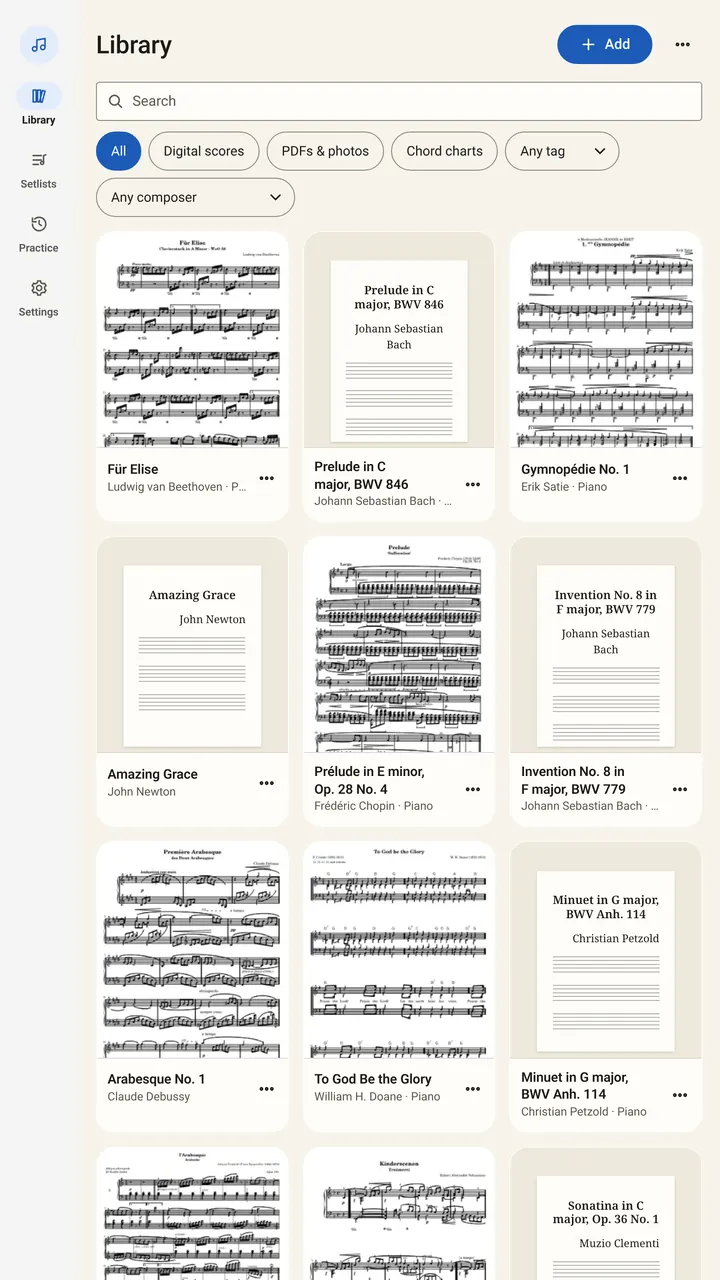
You can also share a file from Files, Mail or a browser and choose SheetScroll, or use Open in. On a computer, drop files anywhere in the window.
SheetScroll keeps its own copy of every file. Your original is never changed, so you can delete it afterward.
Which formats work?
| File | What happens |
|---|---|
| Opens exactly as printed. When the PDF draws real notation, SheetScroll reads the music from it. | |
| Photos and scans | Follows the pages as they look on paper. |
| MusicXML, MuseScore, Guitar Pro, MIDI, ABC, MEI, Humdrum | Opens as a digital score, with every bar known exactly. |
| Chord charts (ChordPro, OnSong and similar) | Opens as a chart you can transpose, with a capo or in Nashville numbers. |
| Text tabs | Opens as tablature. |
Finale files and compressed MusicXML open too. A few older formats, such as Capella, LilyPond, NoteWorthy, Overture, Power Tab and TablEdit, need SheetScroll’s server. The app asks first, sends the file over HTTPS and deletes it within 24 hours.
Is a digital score better than a scan?
A digital score gives SheetScroll every bar exactly. A scan is read from the picture, and the library says so: “Read from a scan. Following is less certain.” Scans still work, and a clearer picture turns pages more surely.
If a page is poor, SheetScroll tells you which one: cut off, too dark, blurred or too faint. Choose Scan again or Take again and retake that page.
How do I pair a scan with a digital copy?
Pairing keeps your pages and adds the digital copy’s exact bars. You see and mark up the paper layout, and SheetScroll follows it as closely as the digital score.
- Import the scan or PDF, and the digital copy of the same piece (MusicXML, MuseScore, MIDI or Guitar Pro, for example).
- In the library, open the scan’s menu and choose Pair with another score…. For a file that is not in the library, choose Pair with a score file….
- Wait for the comparison. SheetScroll reports how many bars matched, and whether the score matches these pages, most of them, or not at all.
- If it matches, choose Use this pairing. A score that does not match would make SheetScroll follow the wrong notes, so choose another.
A paired piece can show Your pages or a re-engraved version of the digital score. Unpair undoes it.
Can I bring my library from forScore or MobileSheets?
- In forScore’s Backups panel, export your metadata as CSV. For MobileSheets, keep each CSV next to its PDF with the same name.
- Put the CSV, your PDFs and any shared setlists (.4ss) in one folder.
- In SheetScroll, choose Add → From another app, and pick the folder.
- Check the plan SheetScroll shows, then import.
Titles, composers, tags and setlists come across.
What if a file will not open?
- Password-protected PDF: save a copy without the password, then import that.
- Damaged file: if another app opens it, export MusicXML or PDF from there.
- An app SheetScroll does not read: export MusicXML or PDF from it. In MuseScore Studio, which is free, export MusicXML.
- Out of space: free some storage and try again.
Questions
Does SheetScroll change my original files?
No. It keeps its own copy, and your original stays as it is.
Do I need an internet connection to import?
No. Importing, reading and following all run on your device. Only the optional server conversion for older formats, sync, purchases and downloads use the internet.
Can I import a whole folder at once?
Yes. Choose Add, then Folder. A book of tunes or songs is split into pieces you can open one by one.
Does a scanned score turn pages as well as a PDF?
It follows the pages as printed, but a scan is read from a picture, so following is less certain. Pairing a scan with a digital copy of the same piece makes it follow as closely as the digital score.
Related
- How to read guitar tabsRead guitar, bass and ukulele tab: what the lines and numbers mean, hammer-ons, slides and bends, why rhythm is missing, and how tab differs from notation.
- ABC notationHow to read ABC notation: the header fields, letters and octaves, note lengths, bars and repeats, with a worked tune and how to open ABC as sheet music.
- Listening and the microphoneWhere to put your device, what SheetScroll hears, when it holds the page, and how tapping the bar you are on tells it where you are.
- SetlistsMake a setlist, put it in order, add notes, share it or export it for forScore. Each piece opens and listens by itself. Setlists are free.
- Automatic page turnersEvery way to turn sheet music pages hands-free, from pedals to apps that listen, with the pros and cons of each and how a listening page turner decides.
- StudentsFree courses, free sheet music, loops, hands-separately practice and tempo history. A sheet music app for students that listens and turns the page.