What does a band need from a music stand?
A band has several readers and one performance. The keyboard player needs a score, the guitarist a chord chart, and the singer lyrics, and everybody has to be on the same bar when the chorus comes round again.
It's dull work to make that happen by hand. Someone picks the key, someone prints the set, someone changes the order at the last minute, and every change has to reach every stand.
How does Play together work?
- The leader opens the song and taps Lead other devices. A code appears.
- Each other player taps Follow a leader, then scans the code or enters the short code.
- Allow SheetScroll to find devices on the local network when it asks.
- The leader's device listens. Every other device turns as the leader does.
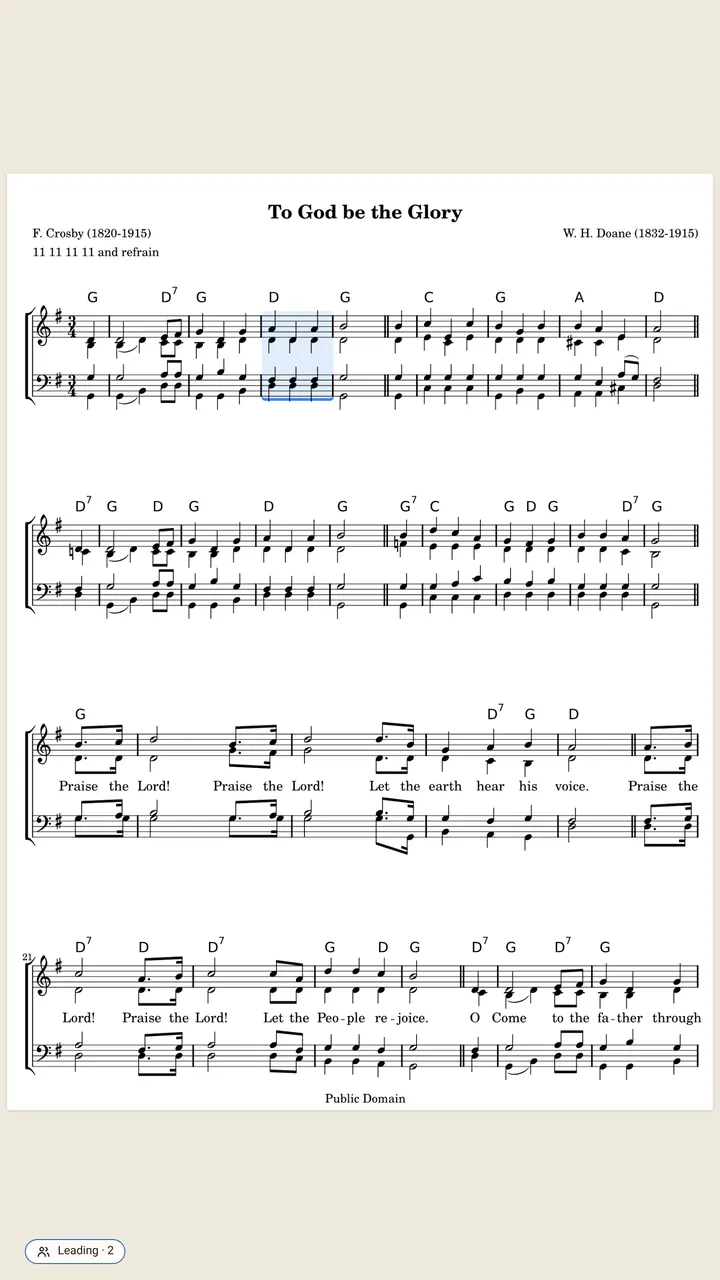
The devices share one Wi-Fi network, and only bar positions are sent, encrypted. Each device shows its own copy of the piece, so a guitarist can read a chart while the keyboardist reads a score. The leading device needs Pro; the devices following it don't.
Who should lead?
- A keyboard player with a digital piano: the leader's notes arrive over USB or Bluetooth MIDI, so the device does not need a microphone.
- The player who sets the form: if one player always knows where the band is, that device should listen.
- Whoever sits nearest the sound: if the leader uses a microphone, place the device where it hears the band.
Followers do not need to hear anything. They turn when the leader does.
How do you run a set?
A setlist is the night in order. Put the songs in, and each one opens and listens by itself when you reach it. Chord charts can be moved to the singer's key, set to a capo, or shown as Nashville numbers, with lyrics lined up. Setlists and chart tools are free.
A Bluetooth page-turn pedal works alongside listening. A press or a tap always wins, so a player can turn the page when the band takes a different road.
What are the practical tips for a gig?
- Test the Wi-Fi at soundcheck. Every device has to join the same network.
- Charge every device. Reading and following run on each one, with no internet needed.
- Agree on one leader per song, and say so at the downbeat.
- Pair a pedal for the moments the band takes a different road: a press or a tap always wins.
What is free for bands, and what is Pro?
Free: the complete reader, every format and view, chord charts, setlists, annotations, pedal or tap turns. Pro: listening and automatic turns (with Play together, only the leading device needs it), at $29.99 a year (2 weeks free), $5.99 a month or $79.99 once.
Questions
Do I need Pro to lead the band?
Yes. The leader's device does the listening, and listening is Pro. The leading device needs Pro; the devices following it don't.
What happens if the band skips a verse?
The leader's device follows the music it hears, so the followers turn where the leader turns. A tap on the bar you are on tells it where you are at once.
Do the devices need the internet?
No. They need to share one Wi-Fi network. Reading, listening and following all run on each device.
Can the guitarist read tab while the pianist reads a score?
Yes. Each device follows its own copy of the piece.
Is anything the band plays recorded or shared?
No. Sound is analyzed on the device and never recorded. Only encrypted bar positions are shared.
Related
- Church musiciansKeep a service in order, follow every repeat and D.S. through the verses, and put chord charts in the singers' key. Free reader, hands-free turns with Pro.
- GuitaristsOpen Guitar Pro files, text tabs, PDFs and chord charts. SheetScroll listens as you play guitar and turns the page, never early. Transpose and set a capo.
- Singers and choirsTurn pages while you sing or lead a choir. SheetScroll follows voice, shows chord charts and lyrics in any key, and lets a choir's pages turn together.
- Performers and accompanistsA page turner that is never early, with half-page turns, nothing over the music, a pedal and a swipe, and no network needed. Free reader.
- DrummersSheetScroll listens to your kit and turns the page two beats before the end, never early. It opens charts, parts and PDFs, and the reader is free.
- Automatic page turnersEvery way to turn sheet music pages hands-free, from pedals to apps that listen, with the pros and cons of each and how a listening page turner decides.
- Bluetooth page turn pedalsHow a Bluetooth page-turn pedal works, how to pair it with iPad, Android, Windows or Mac, which mode to pick, and notes on AirTurn, PageFlip and Donner.
- Digital pianos over MIDIConnect a digital piano by USB or Bluetooth MIDI and SheetScroll follows the notes themselves, with no microphone. Here is how to set it up.
- Opening music filesSheetScroll opens PDFs, photos, MusicXML, MuseScore, Guitar Pro, MIDI, ABC, chord charts and more. How to add them, and pair a scan with a digital copy.
- Page turning appsSheet music apps that turn pages by listening (SheetScroll, Newzik, Smartleggio) or by face and eye gestures (forScore, MobileSheets, SightTune).