What does a performer need from a music stand on stage?
On stage, the worst turn is the early one. The page leaves while you are still reading its last line, and the music you need is gone. A late turn is bad too, but an early turn is the one a soloist remembers.
An accompanist has a second problem: the soloist sets the pace. The tempo stretches in a cadenza, a ritardando comes late, and a fixed scroll would run off without anyone.
And nothing can fail. No pop-up, no update, no weak signal. The screen should show the music and only the music.
How does SheetScroll avoid an early turn?
It listens for where you are rather than counting time. The turn comes two beats before the end of the page, a fixed musical amount. In Settings > View and turns, you can ask for more or less warning.
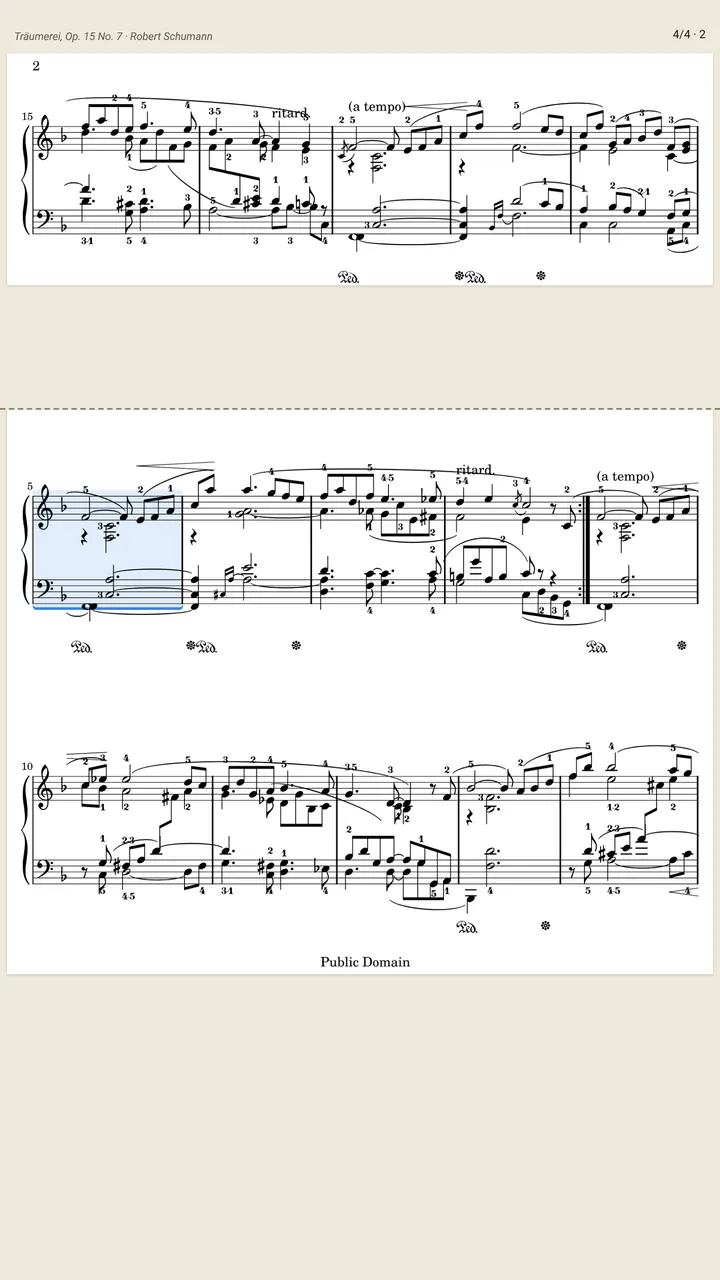
When it is unsure, it does not guess. If two passages sound alike, SheetScroll holds the page and outlines the places it is choosing between. Keep playing and it finds you, or tap the bar you are on.
- Half-page turns: the next line is on screen before the old one ends, so there is no blind bar.
- One page, two pages or line by line: pick the view that suits the part.
- Repeats and jumps: repeat signs, endings, D.S. and coda are followed.
- Back with you: after a stop, a restart or a rehearsal letter, it finds your place again.
What is on screen while I play?
The music, and nothing over it. The controls stay out of the page until you tap it. A setlist plays straight through with nothing on screen but your music.
To turn the pages yourself, tap the page and choose Turn by hand.
How should I set up for a concert?
- Put the whole program in a setlist the day before. Each piece opens and listens by itself.
- Pair a Bluetooth page-turn pedal if a foot is free. It works alongside listening, and a press always wins.
- Rehearse once in the hall. Play the first page and watch where the turn lands. If it is not where you want it, change Turn early by in Settings > View and turns.
- Turn on airplane mode. Reading, listening and following all run on the device.
- Charge the device and bring a cable.
What is free for performers, and what is Pro?
Free: the reader in every format and view, half-page turns, setlists, annotations, and turns by pedal or tap. Pro adds listening and automatic turns. Try the yearly plan free for 2 weeks ($29.99 after), or pay $5.99 a month or $79.99 once.
Questions
What if it isn't sure where I am?
It holds the page and outlines the places it is choosing between. Keep playing, or tap the bar you are on.
Can I change how early the page turns?
Yes. The default is two beats before the end. Settings > View and turns lets you set more or less warning.
Can I turn the pages myself in an emergency?
Yes. Tap the page for the controls and choose Turn by hand. A pedal press or a tap always wins over listening.
Does it need a network at the venue?
No. It works in airplane mode. Only sync, purchases and downloads use the internet.
Does it work for accompanying a soloist?
It follows what you play on piano, or a digital piano's notes over MIDI, and it waits when the music slows or stops.
Related
- PianistsA sheet music app for pianists: it listens through the mic or a digital piano over MIDI and turns the page two beats early, never early. Free reader.
- String playersA sheet music app that turns the page while you bow. It listens to strings, never turns early and shows your PDF parts as printed. Free reader.
- Wind and brassHands-free page turns for wind and brass players. SheetScroll listens through the mic, turns two beats early, never early, and shows your PDFs as printed.
- Singers and choirsTurn pages while you sing or lead a choir. SheetScroll follows voice, shows chord charts and lyrics in any key, and lets a choir's pages turn together.
- Automatic page turnersEvery way to turn sheet music pages hands-free, from pedals to apps that listen, with the pros and cons of each and how a listening page turner decides.
- Bluetooth page turn pedalsHow a Bluetooth page-turn pedal works, how to pair it with iPad, Android, Windows or Mac, which mode to pick, and notes on AirTurn, PageFlip and Donner.
- Repeats, D.S., D.C. and codaHow to read repeat signs, first and second endings, D.C., D.S., coda and fine in sheet music, with a worked example and how a page turner follows them.
- Digital pianos over MIDIConnect a digital piano by USB or Bluetooth MIDI and SheetScroll follows the notes themselves, with no microphone. Here is how to set it up.
- Page turning appsSheet music apps that turn pages by listening (SheetScroll, Newzik, Smartleggio) or by face and eye gestures (forScore, MobileSheets, SightTune).